R-Jukebox
A collaborative music player running on a Raspberry Pi, enabling real-time YouTube playback control across multiple devices using Puppeteer, WebSockets, and a custom design system.
Real-time WebSocket architecture
Browser automation & Puppeteer
Design systems & seasonal theming

7 min read · 15 Feb 2024
R-Jukebox: The Collaborative Office Music Platform
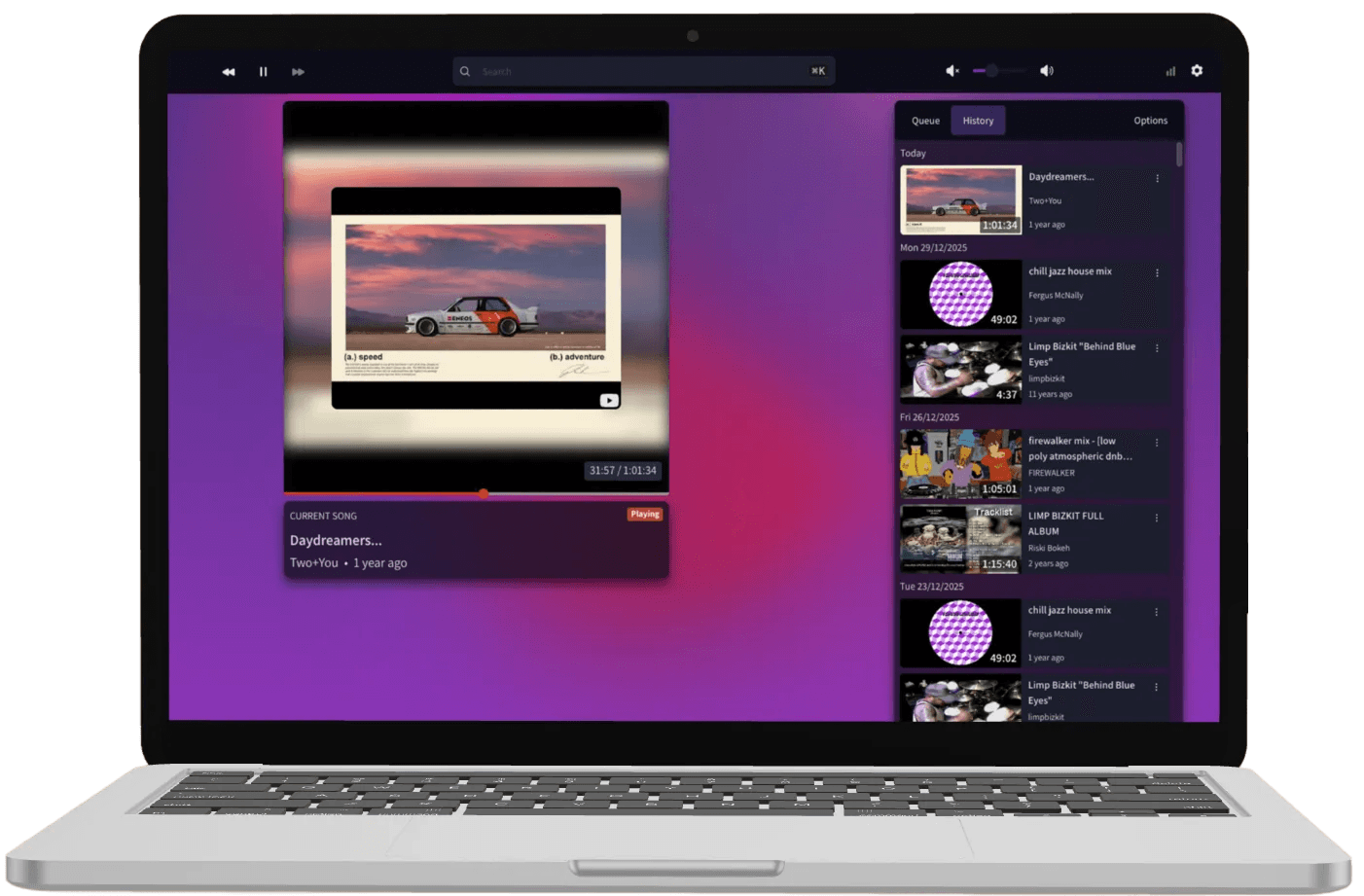
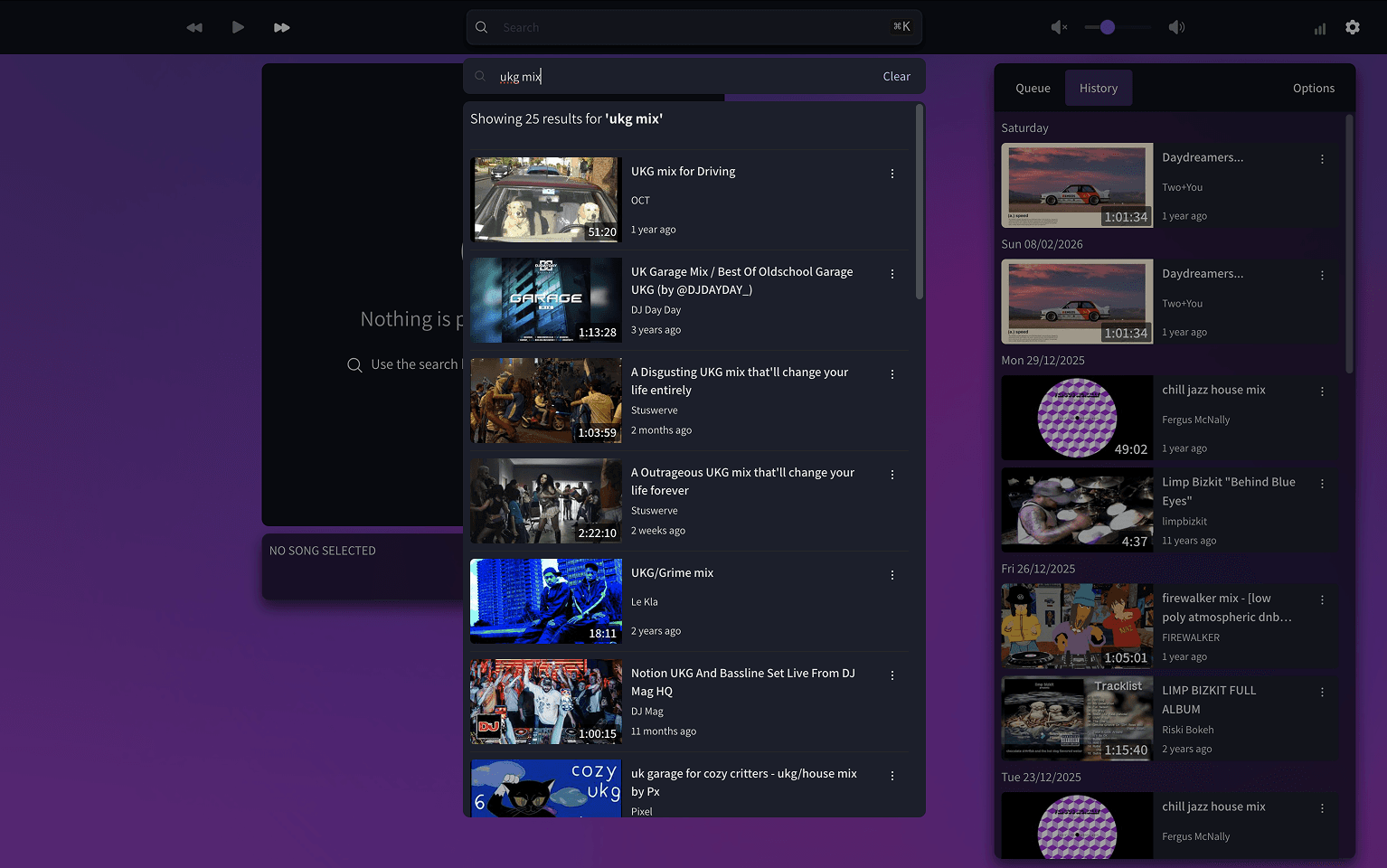
A production-ready music player that transforms a Raspberry Pi into a shared jukebox, allowing anyone on the Wi-Fi to search, queue, and control YouTube playback in real-time.
Quick Specs
Role: Full-Stack Developer & Product Designer
Tech Stack: React, TypeScript, Chakra UI v3, Vite, WebSockets, Puppeteer, Raspberry Pi, SQLite
Timeline: 2 years of iterative development (v1.0 → v2.0)
Key Outcomes:
- Real-time collaborative playback across multiple devices
- Sub-1MB production build after Vite migration
- Sophisticated design system with seasonal theming
- Headless browser automation controlling YouTube iframe
Links:
 GitHub Repository
The Origin: The Office DJ Problem
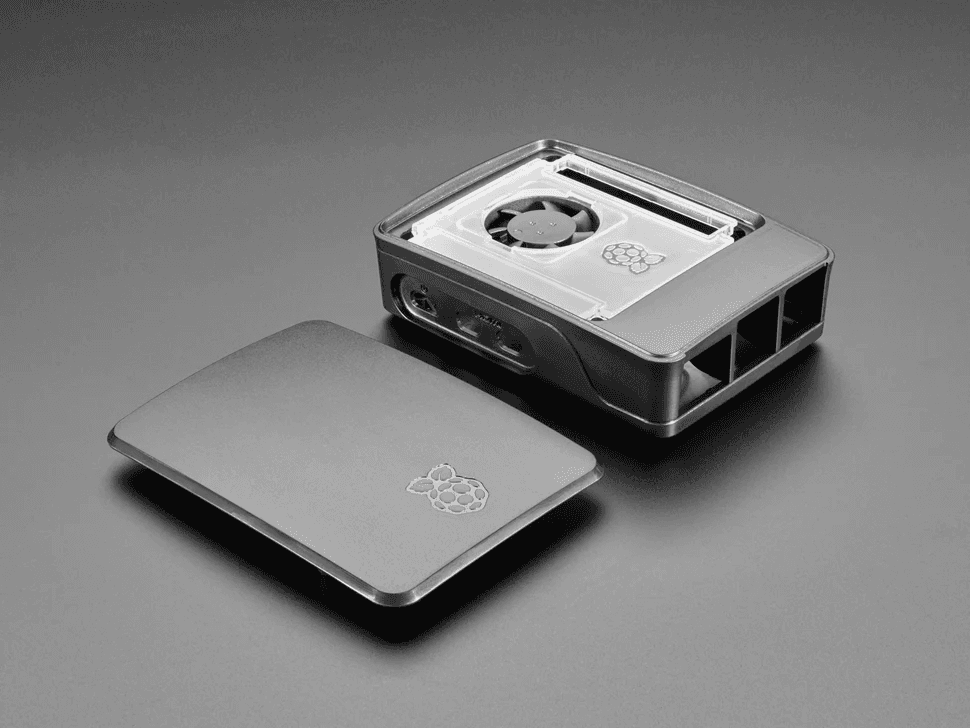
As the unofficial office DJ, I faced a hardware conflict: I couldn't stream curated music to the team via Bluetooth while simultaneously using my own computer for personal music. R-Jukebox was born to offload the "Office DJ" role to a dedicated Raspberry Pi, allowing anyone on the Wi-Fi to contribute to the vibe in real-time.
The Architecture: Bridging YouTube with Headless Control
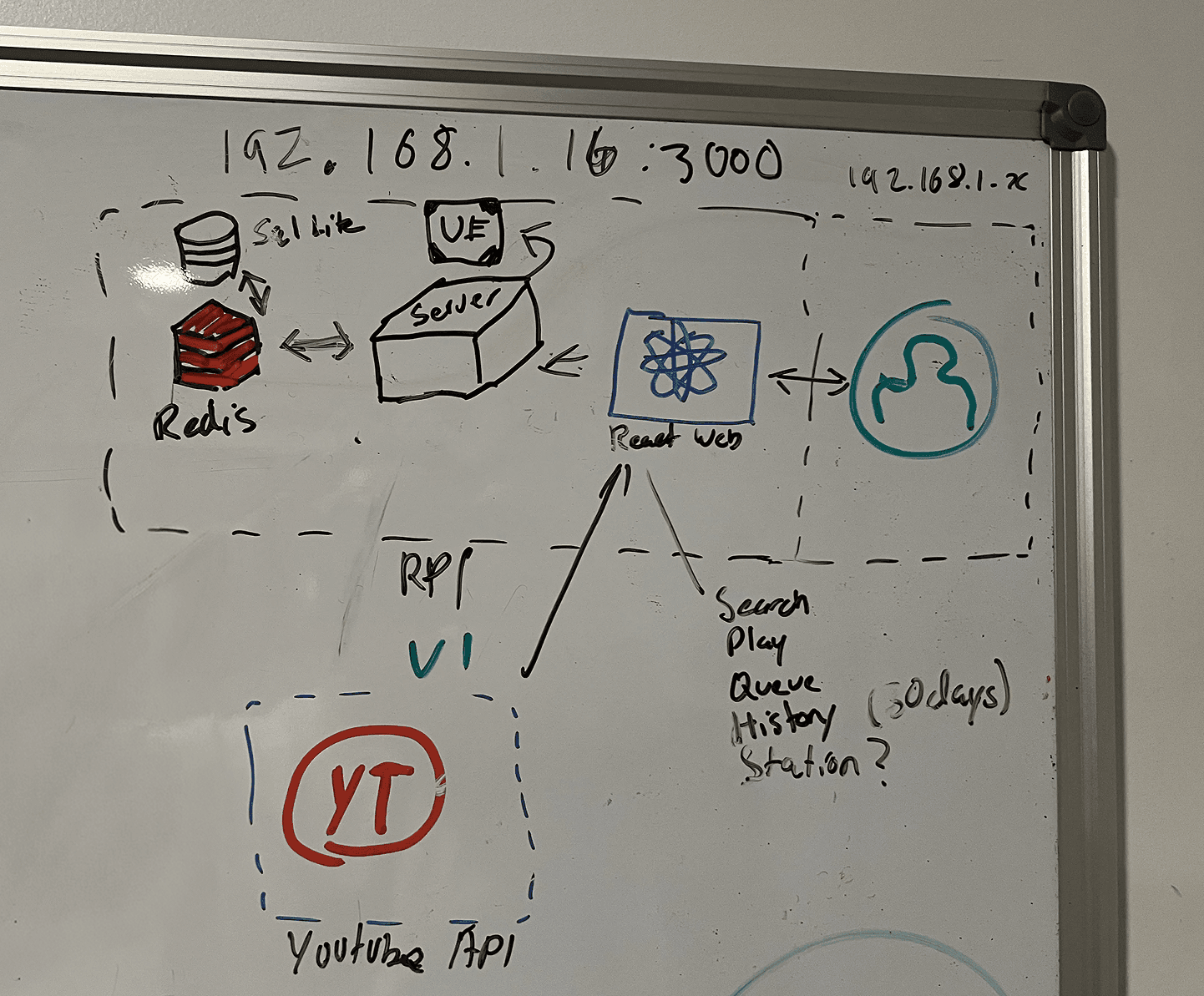
The technical challenge was clear: how do you control YouTube playback remotely without official API support for play/pause/seek controls?
The Puppeteer Solution
I embedded a YouTube iframe on a page running on the Raspberry Pi and used Puppeteer to programmatically control it.
Importantly, embedded YouTube videos don't display ads—enabling uninterrupted playback without requiring YouTube Premium. This architectural decision solved both the control problem and the ad interruption issue simultaneously.
| Component | Purpose | Technology |
|---|---|---|
| Headless Browser | Hosts YouTube iframe | Puppeteer + Chromium |
| DOM Automation | Simulates clicks on play/pause, volume, seek buttons | Puppeteer element selectors |
| Real-Time Sync | Broadcasts state changes to all connected clients | WebSockets |
| State Management | Stores playback history and queue | SQLite |
Technical Deep Dive: The Detached Frame Challenge
Challenge: Iframe Detachment. Rapid queue changes caused memory references to point to "dead" frames, skipping songs.
When videos changed quickly, the iframe reference would become detached—the 5-second polling interval would reference the old video being replaced rather than the new one loading. This caused errors that would skip two videos: the loading video would throw an error and get skipped, then the error handler would load the next video, effectively skipping both.
Solution: Implemented specific error-catch logic to identify "detached frame" signatures in the error object, allowing the system to ignore ghost errors and maintain queue synchronisation. JavaScript's single-threaded nature required careful orchestration of synchronous and asynchronous operations using timeouts to ensure seamless transitions.
The Visual Identity: Lava Lamp Aesthetics
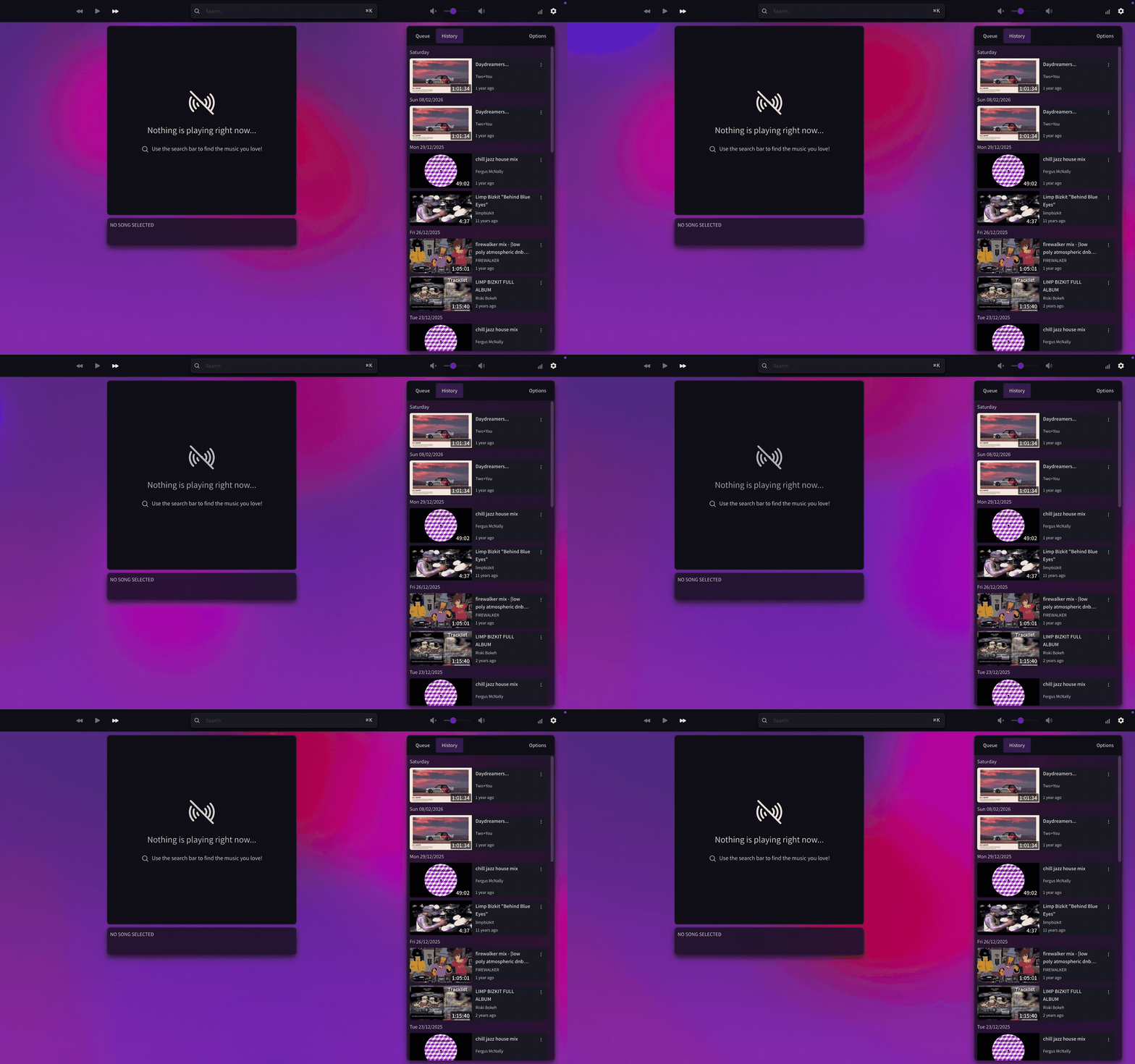
The design was inspired by organic, fluid motion—think lava lamps. I researched video and music player interfaces on Mobbin, then settled on a modern aesthetic featuring frosted glass effects with vivid colours moving in the background (this was well before iOS 26's adoption of the pattern, might I add).
Design System Architecture
The application follows Atomic Design principles with a sophisticated theming system built on Chakra UI v3:
Component Hierarchy:
- Atoms: Video cards, colour mode switchers, animated backgrounds
- Molecules: Header (search + controls + settings), queue/history tabs, search modals
- Organisms: Complex feature compositions
Semantic Token Architecture: The design system uses semantic colour tokens that abstract raw colour values, enabling consistent theming and seasonal adaptations:
- Brand Colours: Primary palette that adapts to seasonal themes
- Surface Colours: Background and container layers with dark/light variants
- Border & Foreground Colours: Text, icons, and borders with proper contrast ratios
Seasonal Theming as a Feature
Dynamic seasonal theming demonstrates the power of a semantic token architecture:
- Default (Purple/Violet): The original lava lamp aesthetic
- Halloween (Orange/Brown): October transformation
- Christmas (Green/Red): December theme with decorative elements
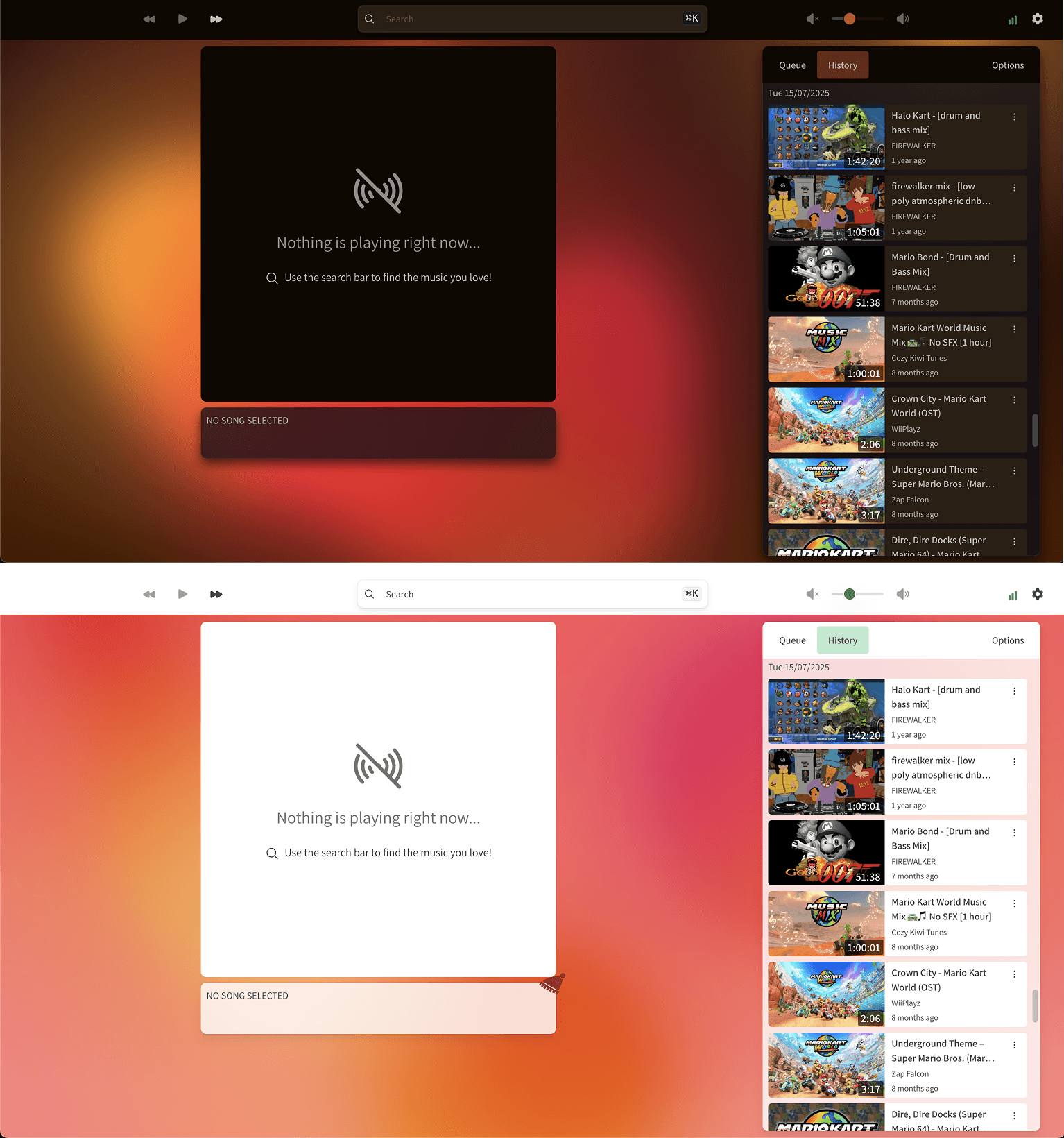
The animated background adapts its entire colour cycle (9 distinct circle colours plus an interactive colour per season) based on the current date, creating unique visual experiences throughout the year.
Dark/Light Mode Support: Implementing harmonious colours that worked in both modes while maintaining the vibrant lava lamp aesthetic was challenging. The solution required careful colour selection and testing to ensure the animated background remained visually appealing regardless of mode.
Engineering Maturity: The Modernisation Journey
The Migration: CRA & Chakra UI v2, → Vite & Chakra UI v3
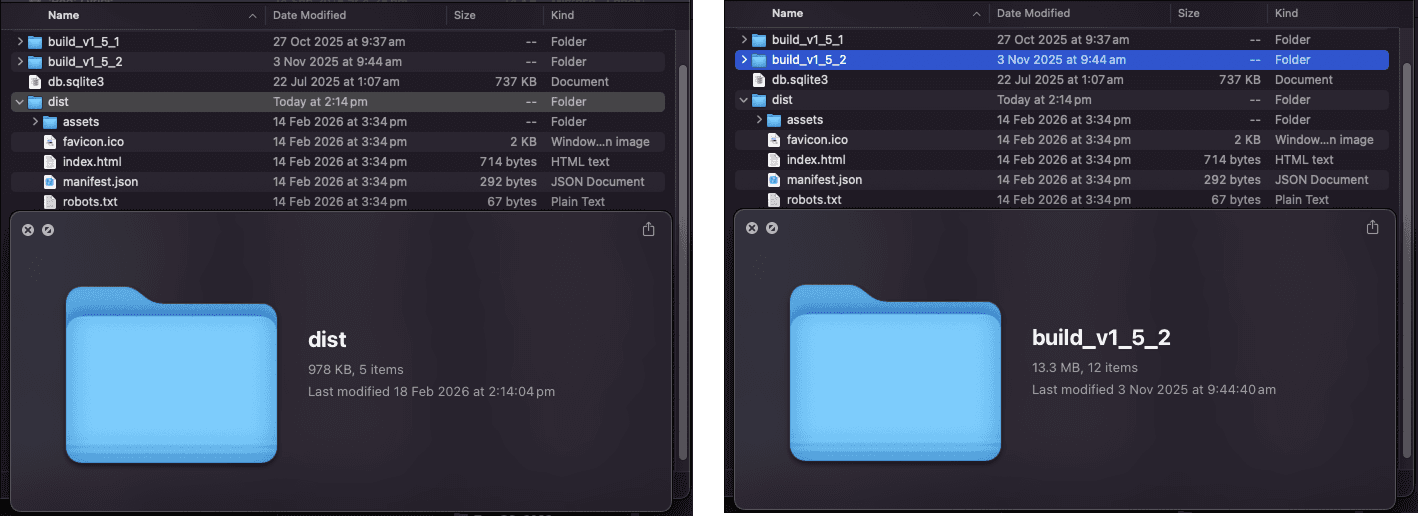
The Bloat: Lgeacy build tool 'Create React App' resulted in final builds that exceeded 10MB for a single-page application—this was unacceptable for how small the app was.
The Fix: Migrated to Vite and upgraded to Chakra UI v3 during the Christmas break of 2025.
The Result:
- Build size:
`10MB+`→`<1MB` - Build times: Dramatically improved with Vite's modern tooling
- Modern patterns: Moved toward headless UI patterns with Chakra UI v3
- Performance: Better hot module replacement (HMR) and development experience
Performance Optimisations
Animated Background System:
- LCP Optimisation: 100ms delay before animation start to improve Largest Contentful Paint scores
- Conditional Rendering: Expensive SVG filters only render when animations are enabled
- Reduced Motion Support: Respects user preferences for accessibility
- Manual Toggle: Users can disable animations for better battery life
- Mobile Optimisation: Animations disabled by default on mobile devices
Code Quality:
- Strategic memoisation to prevent unnecessary re-renders
- Code splitting with lazy loading for heavy components (search modals, settings)
- Optimistic UI updates for instant user feedback
- Full TypeScript coverage with strict typing
Feature Evolution: v1.0 → v1.5
v1.0: Core Functionality
- Search YouTube using YouTube V3 API
- Play/pause, volume control, video seeking
- Real-time WebSocket synchronisation across devices
v1.1: History Feature
Integrated SQLite database to store every played video, with the frontend displaying the last 30 days of history.
v1.2: Queue Functionality
The most complex addition. Required sophisticated logic to:
- Check video status every 5 seconds (comparing timestamp with duration)
- Load the next queued video when current video ends
- Handle the "detached frame" error case (see Technical Deep Dive above)
v1.3: Auto Complete
Implemented autocomplete suggestions using an undocumented Google API endpoint (the same one used when typing into Google or YouTube search). This dramatically improved the search experience by providing real-time suggestions as users type.
v1.4: Player Logs
Added comprehensive error logging to the database. Any time an error is encountered, it's logged and returned to the frontend, allowing historical error review—invaluable for debugging and monitoring production issues.
v1.5: Infinite Scroll
Implemented infinite scrolling for the history view, allowing users to browse beyond the initial 30-day window. Combined with the SWR (stale-while-revalidate) migration for better data fetching and caching patterns.

Takeaways: 2 Years of Real-World Usage
Technical Growth
- WebSockets from Scratch: Moved beyond inefficient long polling to real-time bidirectional communication
- Browser Automation Mastery: Deep understanding of Puppeteer and DOM manipulation for iframe control
- Error Handling Sophistication: Developed strategies for edge cases like iframe detachment
- Modern Build Tools: Experienced dramatic improvements from migrating legacy tooling (CRA) to modern solutions (Vite)
- Headless UI Patterns: Understood the industry shift toward composable UI libraries through Chakra UI v3 migration
Design & System Thinking
- Semantic Token Architecture: Built a scalable theming system that supports seasonal variations and dark/light modes
- Atomic Design Implementation: Created reusable, maintainable component hierarchies
- Performance-Conscious Design: Balanced visual appeal (lava lamp animations) with performance (conditional rendering, mobile optimisations)
Project Management
- Used MoSCoW prioritisation to focus on must-haves first, delivering value incrementally
- Created ~30 user stories and delivered across three major versions
- Solved a real-world problem that people actually use daily
Why This Matters
R-Jukebox isn't just a side project—it's been running successfully in production for almost two years, handling real collaborative usage by multiple team members daily. The journey from a simple office problem to a polished, production-ready application demonstrates:
- Problem-solving: Identifying and solving non-obvious technical challenges (detached frames)
- System design: Building scalable architecture (semantic tokens, atomic components)
- Technical maturity: Recognising when to refactor (CRA → Vite migration)
- User-centric design: Maintaining the original vision (lava lamp aesthetic) while adding accessibility features
This project showcases the full cycle from identifying a real-world need, prototyping a novel technical solution, building a production-ready system, and maintaining it over years of active use.